Interactive Quick Device Diagnosis for a Repair Shop | EZtransition
When someone cracks their phone screen, what do they do first?
They go online. They want to know one thing: can this be fixed, how much will it cost, and how fast can I get it done?
What they usually find is a service page. A list of things the shop fixes. A phone number. Maybe a contact form.
So they call. And the person at the counter asks the same twenty questions they always ask. What device? Which model? What is it doing? When did it start? Does it charge?
Every single call.
A Better Idea Than a Service Page
We have been working with an electronics repair business in Robbinsdale, MN. They wanted something more useful than a standard service page.
Something that could talk to a customer the way a good counter tech does. Ask the right questions. Narrow it down. Give them a straight answer about what is probably going on.
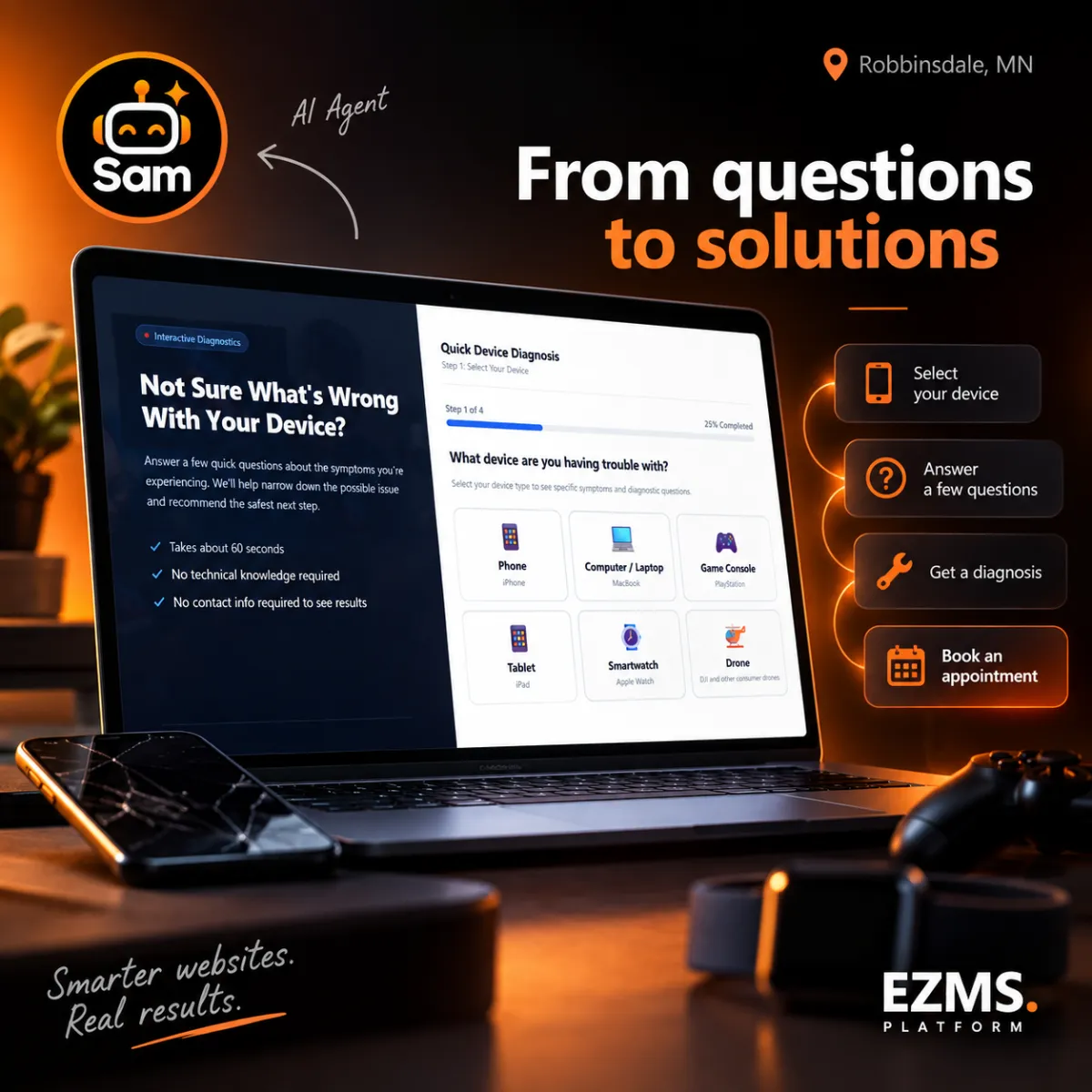
Together with Sam, our AI agent inside the EZMS platform, we built it. An interactive Quick Device Diagnosis experience.
How It Works
The flow is simple on purpose, because a stressed customer with a broken device does not want a maze.
Pick your device. Phones, computers, game consoles, tablets, smartwatches, drones.
Pick what is wrong. Battery draining fast. Screen cracked. Will not turn on. Overheating. Whatever the symptom is.
Answer a few relevant questions. Only the ones that matter for that device and that problem.
Get a preliminary assessment. A straight read on what is likely going on before you ever talk to a person.
From there, there is a clear next step: Book an Appointment.
The tool covers 49 repair scenarios. That is not a starter kit. That is the real range of things people walk in with.
Why This Beats a Contact Form
A contact form asks nothing and tells the customer nothing. It just collects a name and waits.
This does the opposite. It gives the customer an answer before they commit to anything. That changes the whole feel of the interaction.
It also changes what the shop gets. When someone books an appointment, the shop already knows the device, the symptom, and the answers to the follow-up questions. The front desk is not starting from zero.
For the customer, it feels like being helped. For the shop, it feels like the phone got quieter.
Where Sam Came In
Sam did not write a chatbot that sits in the corner and says "How can I help you today?"
Sam helped turn an idea into structured diagnostic logic, and then into a working interactive experience. That is the part that used to take weeks.
The idea came from the shop's real-world knowledge
Sam helped shape it into a decision tree that made sense
Then it became a live, clickable tool customers can use
It moved much faster than a traditional build would have.
That is the difference between AI as an add-on and AI as part of the build. The second one is the one that saves you time.
What This Looked Like
An electronics repair business in Robbinsdale, MN wanted more than a standard service page. Working with Sam, the AI agent inside EZMS, we built an interactive Quick Device Diagnosis covering 49 repair scenarios across phones, computers, game consoles, tablets, smartwatches, and drones. Customers get a preliminary assessment, then a clear path to Book an Appointment.
For Any Business That Answers the Same Questions All Day
If you run a repair shop, a clinic, a salon, an HVAC company, or a rink, you probably answer the same ten questions every week. Those questions eat hours.
You can put that knowledge into a tool that asks and answers them for you. Not to replace your people. To get the easy part handled so your people can do the hard part.
That is the whole point of AI as a business tool. Not more software. Fewer repetitive conversations, and better information when a real one starts.
Keep reading:
Want this running in your business? Book a free call: https://book.eztransition.com/darren
